For fresh graduates and first-time jobseekers, getting a valid ID can make the job application process feel a lot more manageable. A resume may help you get noticed, but a valid ID often becomes necessary once employers begin asking for verification, onboarding documents, payroll details, or other pre-employment requirements.
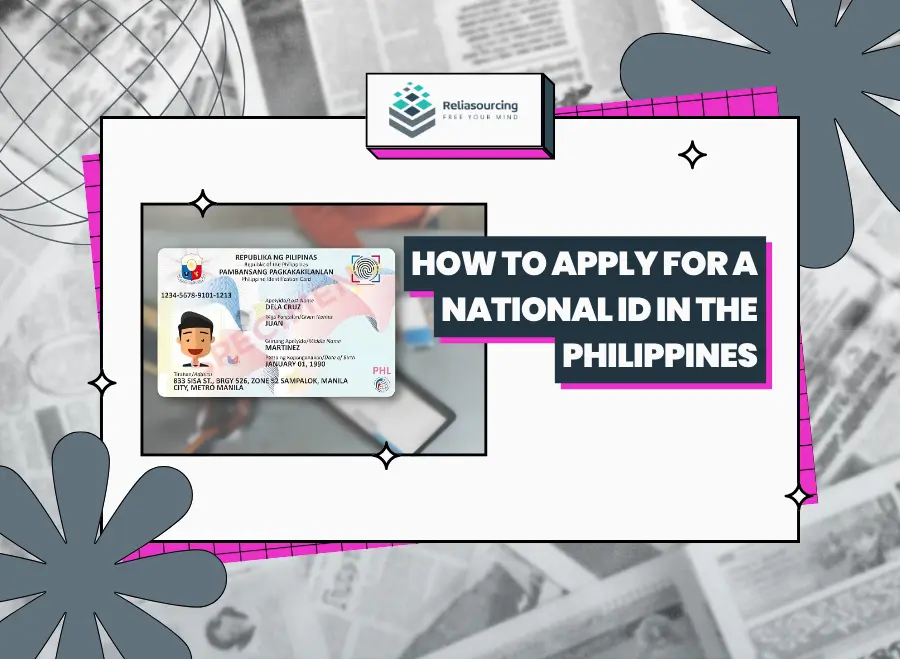
The National ID is one of the most practical IDs to prepare early because it is designed as a foundational proof of identity in the Philippines. Through the Philippine Identification System, also called PhilSys, the government provides registered individuals with a National ID that may be used for many public and private transactions requiring identity verification. The National ID now comes in different formats, including the physical National ID card, the Digital National ID, and the National ID in paper format.
If you are preparing for your first job, this guide explains how to apply for a National ID in the Philippines, what documents to bring, where to register, and how the Digital National ID can help once you are already registered.
Quick Answer: How Do You Apply for a National ID?
To apply for a National ID in the Philippines, you need to visit a PhilSys registration center and bring accepted supporting documents. The official PhilSys registration process says applicants can go to registration centers located in PSA offices, malls, LGUs, or mobile registration sites, depending on availability.
Here is the simple version:
- Check the nearest National ID registration center.
- Prepare your supporting documents.
- Go to the registration center.
- Have your demographic and biometric information captured.
- Wait for your National ID processing and issuance.
- Access your Digital National ID once available through the eGovPH app.
For first-time jobseekers, the most important step is preparation. Bring the right documents before going to the registration center so you do not waste time or need to return another day.
What Is the National ID?
The National ID is the government-issued identification under PhilSys. It is meant to help Filipinos and resident aliens prove their identity more easily across transactions with government agencies, private institutions, and service providers. According to PhilSys, the National ID is available in these formats:
| Available National ID Formats | |
|---|---|
| National ID Card | A physical card made of polycarbonate with a QR code for authentication |
| Digital National ID | A digital version accessible through the eGovPH mobile app |
| National ID in Paper Format | A paper-format version that can be claimed from National ID registration centers free of charge |
The National ID page explains that the card and paper format include a QR code that may be used for authentication, while the Digital National ID can be accessed through the eGovPH app.
For jobseekers, having a reliable proof of identity can make it easier to complete transactions during hiring, onboarding, and other employment-related steps.
Why First-Time Jobseekers Should Apply for a National ID
Applying for a National ID is not only about having another card in your wallet. For fresh graduates, it can support several parts of the job-search journey.
It gives you a strong starting ID
Many fresh graduates do not yet have a passport, driver’s license, or other major government-issued ID. The National ID gives first-time applicants a practical starting point for identity verification.
It can support employment-related transactions
PhilSys presents the National ID as usable for public and private transactions that require proof of identity, especially useful for job applications, onboarding paperwork, payroll setup, and other documents related to formal employment.
It helps reduce document stress
When you already have one dependable ID, the rest of the process feels easier. You can focus on your resume, interviews, and requirements instead of scrambling to prove your identity at the last minute.
It connects to digital identity
The Digital National ID is accessible through the eGovPH app and can be used as valid and sufficient proof of identity in transactions, subject to authentication. PhilSys also points to National ID authentication services through eVerify and National ID Check.
Who Can Register for a National ID?
PhilSys registration is intended for Filipino citizens and resident aliens. The official PhilSys FAQ also discusses registration eligibility, minimum age, and required documents for registration. If you are unsure whether you are eligible or what documents apply to your situation, the PhilSys FAQ page is a useful starting point.
For most fresh graduates and first-time workers who are Filipino citizens, the main task is not eligibility. The more practical question is what document you should bring to the registration center.
National ID Requirements in the Philippines
The PhilSys supporting documents page lists accepted documents for registration. For Filipino citizens, PhilSys encourages registrants to bring primary supporting documents, which may include a PSA-issued Certificate of Live Birth together with one government-issued identification document bearing a full name, front-facing photograph, and signature or thumb mark. Likewise, it lists documents such as a Philippine Passport, UMID card, or LTO-issued driver’s license or student permit among accepted primary documents.
Since document lists can be updated, always check the official supporting documents page before visiting a registration center.
What Should Fresh Graduates Prepare?
If you are a fresh graduate applying for your first major ID, prepare your documents carefully before going to the registration center.
- Bring original documents whenever possible. Registration staff need to validate your information. Bringing original documents helps avoid unnecessary delays.
- Check that your personal details match. Your name, birthdate, and other personal details should be consistent across your supporting documents. If there are discrepancies, ask the relevant office how to correct them before registration.
- Prepare proof of identity and supporting records. Depending on what you already have, this may include a PSA birth certificate, school-related documents, or other accepted supporting documents listed by PhilSys.
- Check the latest list before leaving home. Document requirements can change. The safest move is to review the official supporting documents list the same week you plan to register.
How to Apply for a National ID in the Philippines
Applying for a National ID is easier to understand when you break it into practical steps.
Step 1: Find a National ID registration center
Start by checking the official PhilSys registration center page. PhilSys publishes a list of registration centers, including locations in the National Capital Region and other regions nationwide. The list available from PhilSys was updated as of June 6, 2026. Registration centers may include:
- PSA Regional and Provincial Offices
- mall-based registration centers
- LGU-based registration centers
- mobile registration activities in certain areas
Step 2: Prepare your supporting documents
Before visiting the center, review the PhilSys supporting documents page. Bring the accepted documents that best fit your situation.
If you are a fresh graduate with limited IDs, do not assume you have no options. PhilSys lists several types of primary and secondary supporting documents, so check which ones you can realistically prepare.
Step 3: Go to the registration center
Once your documents are ready, visit your chosen registration center. The PhilSys registration process says applicants should go to a registration center and bring supporting documents.
Try to arrive early, especially if you are visiting a high-traffic location. Bring a pen, your documents, and a phone with enough battery in case you need to access reference details or contact someone.
Step 4: Have your demographic information validated
At the registration center, your demographic information will be collected or validated, which may include details such as your name, birthdate, address, and other personal information needed for PhilSys registration.
A helpful reminder: review your information carefully before confirming it. Errors in your name, birthdate, or address can become inconvenient later.
Step 5: Complete biometric capture
The registration process includes biometric capture. This can involve your photo, fingerprints, and iris scan. Biometric information helps ensure that each registration is unique and supports secure identity verification.
PhilSys explains that personal information collected during registration undergoes deduplication before a PhilSys Number or permanent identification number is generated.
Step 6: Wait for processing and issuance
After registration, your information goes through validation and processing. Delivery or availability may depend on the format of your National ID and the status of your registration.
The physical card may take time. While waiting, successfully registered individuals may be able to access the Digital National ID through the eGovPH app once available.
Step 7: Access your Digital National ID
The Digital National ID is especially useful for fresh graduates who need proof of identity but are still waiting for a physical card. PhilSys says the Digital National ID may be accessed through the eGovPH app and can be presented as valid proof of identity in transactions, subject to authentication.
You can also read PhilSys updates about the Digital National ID and its use in transactions.
Can You Use the Digital National ID for Job Applications?
The Digital National ID can be useful for jobseekers because it gives registered individuals another way to present proof of identity. PhilSys has stated that the Digital National ID can be presented as valid and sufficient proof of identity in government and private transactions, subject to authentication.
That said, employers may still have their own verification process. If a company asks for a specific format or document, follow their instructions. If they accept the Digital National ID, make sure it can be properly authenticated.
What is the National ID in Paper Format?
The National ID in paper format is another version of the National ID that can be claimed from National ID registration centers free of charge. Like the physical card, it includes a QR code that may be used for authentication.
For fresh graduates, this can be helpful if you need a usable proof of identity while waiting for the physical card. Check with your chosen registration center to confirm availability and claiming instructions.
Best Time for Fresh Graduates to Apply
The best time to apply is before you urgently need the ID. If you wait until an employer asks for identification, you may feel pressured to complete the process quickly. A practical timeline looks like this:
| Job Search Stage | What to Do |
| Before applying | Check National ID requirements and registration centers |
| While applying | Register if you still do not have a strong valid ID |
| During interviews | Prepare other job documents, including school records and NBI Clearance |
| Before onboarding | Make sure your ID, tax, and benefits-related documents are organized |
The National ID is a smart early step because it can support other transactions later.
Common Mistakes to Avoid
Going without checking the latest requirements
Do not rely only on old posts, screenshots, or social media advice. Always check the official PhilSys supporting documents page before going.
Assuming every registration center offers the same services
Some centers may handle registration, while others may also offer updating services. PhilSys maintains a registration center list and a separate list of registration centers offering updating services.
Treating the physical card as the only useful format
The physical National ID is important, but the Digital National ID and paper format can also help. PhilSys recognizes different National ID formats, each with its own use.
Forgetting to check your personal details
A small spelling mistake can create bigger issues later. Review your information carefully during registration.
Quick Checklist Before You Register
Use this checklist before going to a PhilSys registration center:
- Check the nearest registration center
- Review the latest supporting documents
- Bring original documents when possible
- Confirm that your name and birthdate match your documents
- Arrive early if visiting a busy location
- Ask how to access your Digital National ID after registration
- Keep any reference details or transaction slips given to you
How the National ID Helps With Other Job Requirements
The National ID will not replace every employment document. You may still need an updated resume, school records, NBI Clearance, TIN registration, PhilHealth details, SSS information, or other company-specific onboarding forms.
Still, it can make the rest of the process smoother because many requirements begin with identity verification. Once you have a recognized proof of identity, you are better prepared for the documents that follow.
For a broader checklist, you can also read our guide on job requirements for fresh graduates in the Philippines.
FAQs About Applying for a National ID in the Philippines
How do I apply for a National ID in the Philippines?
To apply for a National ID in the Philippines, go to a PhilSys registration center and bring accepted supporting documents. The official registration process explains that registration centers may include PSA offices, mall-based sites, LGUs, and mobile registration activities.
What are the requirements for National ID registration?
The requirements for National ID registration depend on your available documents. PhilSys encourages Filipino citizens to bring accepted primary supporting documents, and the full list is available on the official supporting documents page.
Is the National ID free?
The National ID in paper format can be claimed from National ID registration centers free of charge. PhilSys also presents the National ID system as a government identification system for registered individuals. For the latest details on fees, formats, and claiming, check the official National ID page.
Can I use the Digital National ID as a valid ID?
Yes. PhilSys says the Digital National ID is accessible through the eGovPH app and can be used as valid and sufficient proof of identity in transactions, subject to authentication.
Where can I find a National ID registration center?
You can find a National ID registration center through the official PhilSys registration center page. PhilSys lists registration sites across regions and updates these lists periodically.
Should fresh graduates get a National ID before applying for jobs?
Fresh graduates do not always need a National ID before sending applications, but getting one early is helpful, giving you strong proof of identity that may support job applications, onboarding, and other transactions connected to employment.
Final Thoughts
Applying for a National ID is one of the most practical first steps fresh graduates can take when preparing for work, as it gives you a foundational proof of identity, supports future transactions, and helps reduce the stress of document preparation during hiring.
You do not need every government document before sending your first application. Still, having a National ID gives you a stronger starting point. Once your identity documents are in order, the rest becomes easier, allowing you to focus on the rest of your career preparation, from resumes and interviews to onboarding requirements.
Ready to put your documents to use? Explore open roles at Reliasourcing and take the next step in your career. If you’re looking for a company that guides you from the start of your job application to landing a job, visit our Careers Page. Check our open roles and see if you’re a great fit for #LifeAtReliasourcing.
About Reliasourcing
Reliasourcing is a premier outsourcing solutions provider in the Philippines. We deliver tailored services that help businesses across industries achieve operational efficiency and scalability. With a focus on customer experience and innovation, Reliasourcing remains a trusted partner in unlocking potential through outsourcing.
Follow us on Facebook, Instagram, LinkedIn, YouTube, and X for the latest trends and insights on outsourcing, the industry, and the Philippines.
Connect with us, or become part of our growing team today!