Government errands have a habit of landing on the busiest part of the week. You may need a valid ID for onboarding, a contribution record for a loan, or a travel declaration before a flight, all while keeping up with your regular work schedule.
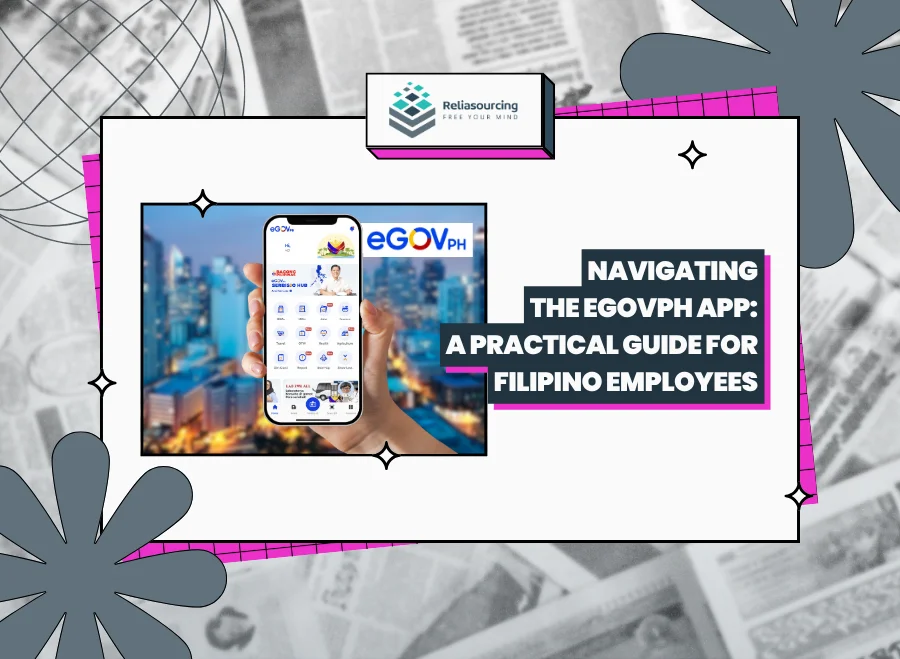
The eGovPH app is designed to make the process less fragmented. Developed by the Department of Information and Communications Technology (DICT), it brings links and digital services from national agencies and participating local governments into one mobile platform. The official eGovPH website presents it as a single access point for government services, although availability can differ according to your location, verification status, and current app version.
For Filipino employees, the app can serve as a digital front door for identification, government portals, and selected transactions. While it does not replace every agency account, it can save time when work and government paperwork overlap.
What Is the eGovPH App?
The eGovPH app—also called the eGov PH Super App—is a government-built mobile application that consolidates public services. A Philippine Information Agency overview identifies access to agencies including SSS, Pag-IBIG Fund, PhilHealth, GSIS, and the Anti-Red Tape Authority, alongside digital identification, travel, and payment services.
“Consolidate” does not mean that every transaction happens within one screen since the app may display information or direct you to an agency portal requiring a separate account. Services involving original documents, biometrics, or manual assessment may still require an office visit.
What Can Filipino Employees Use eGovPH For?
The app’s tiles and menu labels can change as services are updated, so it is more useful to understand the main categories than memorize one screen layout.
| Employee need | How eGovPH may help | What to remember |
| Proving your identity | View your Digital National ID after verification | You must first be registered with PhilSys |
| Checking government agencies | Find services connected with SSS, Pag-IBIG, PhilHealth, and other agencies | Some functions require a separate agency login |
| Preparing for international travel | Access eTravel for arrival or departure declarations | Save a copy of the generated QR code |
| Using local government services | Find eLGU services offered by participating LGUs | Availability depends on your city or municipality |
Employees reviewing statutory contributions should also understand what each deduction represents. Reliasourcing’s guide to government-mandated responsibilities for employees explains the roles of SSS, PhilHealth, Pag-IBIG, and withholding tax.
How to Download and Register for eGovPH
1. Download the official application
Use the government website or your phone’s official app store. On Android, the legitimate Google Play listing identifies the developer as “DICT eGovernment.” Check the developer before installing.
Avoid APK files, links in unsolicited messages, and pages asking for an activation fee. Registration should not require you to transfer money to an individual.
2. Register with an active mobile number
Follow the registration prompts using an active Philippine mobile number that can receive a one-time password or OTP. Enter the code only inside the official app. Use a number you expect to retain because an old company-issued number or frequently replaced SIM can complicate account recovery.
3. Create your MPIN
The app will ask you to create an MPIN. Treat it with the same care as a banking PIN: avoid obvious sequences, do not share it, and never reuse it as a password for another government portal.
4. Complete your profile accurately
Enter your details exactly as they appear in government records. Differences in your full name, suffix, birth date, or marital information can interfere with automated matching. Updating one profile may not automatically correct records held by other agencies.
5. Verify your identity
Full access may require identity verification. Complete the facial or liveness check in a well-lit area, remove anything obscuring your face, and hold the phone steady. Only grant permissions needed for that step.
Verification can fail because of unclear camera images, mismatched details, an unstable connection, or a PhilSys record that is not yet available for matching. A failed attempt does not necessarily mean your National ID is invalid.
How to Access Your Digital National ID
After verification, look for the National ID or Digital ID section on the home screen, in your profile, or under government services. If an update moves the tile, use the app’s search tool or browse its service categories.
The Philippine Statistics Authority confirms that Filipinos registered with PhilSys may access their Digital National ID through eGovPH. The digital format can serve as valid proof of identity and age, subject to the receiving organization’s authentication process.
For employees, it can help during hiring, onboarding, payroll enrollment, and benefit applications. Avoid handing over an unlocked phone or distributing screenshots. Show the credential through the official interface whenever possible.
If you have not registered with PhilSys, Reliasourcing’s guide explains how to apply for a National ID in the Philippines.
Finding SSS, PhilHealth, Pag-IBIG, and Other Services
Open the national-government or agency-services section and select the agency you need. Depending on the integration, you may view a service directly, continue to an external agency page, or sign in again.
Prepare your membership number and agency credentials. Compare contribution periods and amounts with your payslip, remembering that processing times vary.
If a contribution remains missing beyond the normal posting period, save your payslips and contact HR or payroll. Reliasourcing’s explanation of salary deductions in the Philippines can help you identify the figures to check.
Using eTravel Through the App
Employees traveling abroad can use the eTravel entry inside eGovPH to reach the Philippine travel declaration system. Check whether you are completing an arrival or departure record, enter details exactly as shown on your passport and itinerary, and review the flight number and date before submission. Save the resulting QR code securely before heading to the airport. An offline copy can help when mobile data is weak.
How to Keep Your eGovPH Account Secure
Convenience should come with careful security habits. The app’s official privacy policy explains how information is handled.
- Keep your OTP and MPIN private. Support personnel should not ask you to disclose them.
- Install updates through the official app store.
- Protect your phone with a screen lock.
- Review camera, photo, location, and notification permissions.
- Avoid sensitive transactions over open public Wi-Fi.
- Never post your Digital National ID, QR codes, or reference numbers online.
- If your phone is lost, secure the email and mobile number linked to your account.
Filipinos also have legal rights concerning their personal information. The National Privacy Commission’s data-subject guidance explains rights involving access, correction, objection, and complaints.
What to Do When eGovPH Is Not Working
An error near a deadline can be frustrating, but repeatedly submitting the same information may not solve it. Try the following:
- Check the app store for an update.
- Switch between trusted Wi-Fi and mobile data.
- Restart the app and your phone before reinstalling.
- Confirm that your details match your government records.
- Check whether the agency’s official portal is working separately.
- Record the error message, time, app version, and device model.
- Contact support@e.gov.ph without sending your MPIN, OTP, password, or full ID image.
Plan ahead when a document is needed for onboarding, a benefit claim, visa appointment, or flight. Do not wait until the final hour to use an unfamiliar service.
Frequently Asked Questions About the eGovPH App
Is the eGovPH app free to use?
The eGovPH app is free to download and register for. A particular government transaction may still carry an official fee, while mobile data charges remain the user’s responsibility.
Can I use eGovPH without a National ID?
You may be able to use an unverified eGovPH account without a National ID, but its functions can be limited. Identity-linked features require successful verification against eligible government records.
Is the Digital National ID valid for employment requirements?
The Digital National ID displayed through eGovPH is an official proof of identity and age. An employer may authenticate it using the government’s prescribed process.
Does eGovPH replace My.SSS or Virtual Pag-IBIG?
The eGovPH app does not necessarily replace My.SSS, Virtual Pag-IBIG, or every agency account. Some services act as gateways and still require separate credentials.
Make Government Transactions Easier to Manage
Navigating the eGovPH app becomes easier once you see it as a reliable starting point rather than a complete replacement for every government office. Register with accurate details, learn where employee-relevant services are grouped, and protect your account.
A few minutes spent setting up the app before you urgently need it can prevent a rushed search during onboarding, travel, or a benefit application. If you are also preparing for your next career move, explore current opportunities on the Reliasourcing Careers page and approach your next job with your government requirements better organized.
Looking to determine your career path? If you’re seeking a company that values your target role, visit our Careers Page. Browse our open positions to see if you’re a good match for #LifeAtReliasourcing.
About Reliasourcing
Reliasourcing is a premier outsourcing solutions provider in the Philippines. We deliver tailored services that help businesses across industries achieve operational efficiency and scalability. With a focus on customer experience and innovation, Reliasourcing continues to be a trusted partner in unlocking potential through outsourcing.
Follow us on Facebook, Instagram, LinkedIn, YouTube, and X for more information on the latest trends and insights in outsourcing, the industry, and the Philippines.
Connect with us or become part of our growing team today!