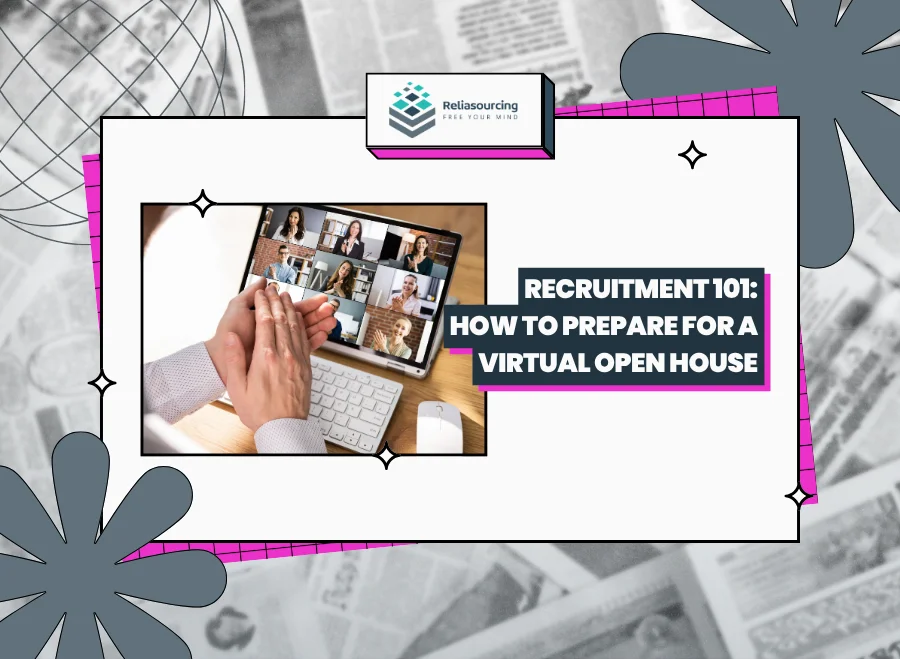
A virtual open house can be one of the easiest ways to explore job opportunities without traveling to an office or committing to a lengthy application process right away. For jobseekers, the opportunity offers a chance to learn more about available roles, meet recruiters, ask questions, and sometimes even complete the first stages of the recruitment process in a single session.
The convenience, however, does not mean you should treat a virtual open house casually. Recruiters may still be assessing how prepared you are, how clearly you communicate, and whether you appear genuinely interested in the opportunities being presented. So, if you are joining one for the first time, a little preparation can make the experience much smoother.
What Is a Virtual Open House?
A virtual open house is an online recruitment event where jobseekers can connect with a company’s recruitment team through a video conferencing platform or another online channel. Depending on how the event is organized, participants may be able to:
- Learn about current job openings
- Hear more about the company and its work environment
- Speak directly with recruiters
- Ask questions about qualifications, schedules, or the hiring process
- Submit or update their application
- Participate in an initial interview or screening
- Receive instructions about the next stage of recruitment
Some virtual open houses follow a structured presentation, while others operate more like an online recruitment hub where applicants are accommodated throughout a particular time window. Regardless of the format, you should approach the event as part of the recruitment process rather than simply an informational webinar.
1. Read the Event Details Carefully
Your preparation should begin before the day of the event. Check the announcement, invitation, or registration page for important information, including:
- The date and time of the virtual open house
- The platform being used
- Registration requirements
- Available positions
- Required documents
- Instructions from the recruitment team
- Whether interviews or assessments may happen during the event
Pay particular attention to whether applicants need to register in advance. Some virtual recruitment events only accommodate registered participants, while others may have specific instructions for joining the online meeting. Also, it helps to confirm the time zone if you are joining an event hosted by a company with operations in different locations.
2. Research the Company Before Joining
You don’t need to memorize an entire company website before attending a virtual open house, but you should know who you are applying to.
Take a few minutes to understand the company’s main services, industries, locations, and available opportunities. Visit its careers page, LinkedIn profile, or recent company posts to get a clearer picture of what the organization does. Research becomes particularly useful if a recruiter asks questions such as:
“What made you interested in applying with us?”
A response based on something you actually learned about the company will generally sound more convincing than saying that you are simply looking for any available position.
Company research also helps you determine whether the opportunity matches what you are looking for before moving further into the recruitment process.
3. Review the Available Job Openings
If the company has already listed the roles available during the virtual open house, review them before attending. Look at the responsibilities, qualifications, work arrangement, schedule, and any experience requirements. Identify one or two roles that best match your background instead of entering the event without any idea of what you want to apply for.
For example, someone with experience handling customer concerns may be interested in a customer service position, while an applicant with strong administrative skills may be better suited for back-office or data-related work.
You don’t necessarily need to match every qualification listed in a job description. However, knowing which role interests you allows you to have a more productive conversation with the recruiter.
4. Prepare an Updated Resume
Keep an updated copy of your resume ready on the device you will use during the event. Ideally, your resume should clearly show:
- Your contact information
- Relevant work experience
- Educational background
- Skills related to the position
- Important certifications or training
- Previous responsibilities and accomplishments
Save the document using a professional filename rather than something generic. For example:
Juan_Dela_Cruz_Resume.pdf
is much easier for a recruiter to identify than:
resume-final-new2.pdf
PDF is often a practical format because it helps preserve the layout of your resume across different devices.
You may also want to keep other documents nearby in case the recruiter requests them, including valid identification, employment records, certificates, or other application requirements.
5. Test Your Device, Internet, Camera, and Microphone
Technical problems happen, but checking your setup beforehand can prevent many of them. Before the virtual open house, test:
- Your internet connection
- Camera
- Microphone
- Speakers or headphones
- Video conferencing application
- Device battery or charger
If the recruitment event uses Zoom, Microsoft Teams, Google Meet, or another platform, install any required application ahead of time. Additionally, avoid waiting until the event begins before discovering that your microphone does not work or that your device needs a major software update.
If your internet connection can occasionally become unstable, identify a backup option where possible. A mobile data connection, another device, or a nearby location with reliable internet can help if your primary connection suddenly fails.
6. Find a Quiet and Presentable Space
You don’t need a professional studio for a virtual recruitment event. What you do need is an environment where you can hear the recruiter clearly and respond without constant interruptions. Choose a location that is:
- Relatively quiet
- Well lit
- Free from unnecessary distractions
- Comfortable enough for you to stay focused
Check what appears behind you when your camera is turned on. A simple, clean background is usually enough. If other people are at home, let them know that you will be attending a recruitment event so they can avoid interrupting you whenever possible.
7. Dress as You Would for an Interview
One of the easiest mistakes to make during online recruitment events is assuming that appearance no longer matters because you are attending from home. If there is a possibility that you will speak with a recruiter on camera, dress in clean and presentable clothing.
You don’t always need formal business attire unless the company specifically requests it. Smart casual clothing is often appropriate for many recruitment environments since the goal is not to look overly formal. You simply want to appear as though you took the opportunity seriously.
8. Prepare a Short Introduction
Virtual open houses can move quickly, particularly when many applicants are waiting to speak with recruiters. Hence, you should prepare a short introduction that explains who you are and the kind of opportunity you are seeking. You might briefly mention:
- Your name
- Your current or most recent role
- Your relevant experience
- The position you are interested in
For example:
“Hi, I’m Maria. I have two years of customer service experience supporting eCommerce customers through chat and email, and I’m interested in learning more about your customer support openings.”
Your introduction does not need to sound memorized. Having a few key points ready simply makes it easier to introduce yourself confidently.
9. Be Ready for Common Screening Questions
A virtual open house may turn into an initial screening interview sooner than you expect. Recruiters may ask questions such as:
- Tell me about yourself.
- What role are you interested in?
- What experience do you have?
- Why are you looking for a new opportunity?
- Are you comfortable working onsite, remotely, or on a hybrid setup?
- Are you willing to work night shifts or shifting schedules?
- When are you available to start?
- What are your salary expectations?
You don’t need perfectly rehearsed answers. However, thinking about these questions beforehand can help you avoid becoming caught off guard. Keep your responses concise and relevant to the role whenever possible.
10. Prepare Questions for the Recruiter
Recruitment events are not only opportunities for companies to evaluate applicants. Applicants should also use them to understand the opportunity. Consider asking questions about:
- The responsibilities of the role
- Training
- Work schedules
- Work arrangement
- Recruitment stages
- Expected timelines
- Company culture
- Career development opportunities
Avoid asking questions simply for the sake of asking something. Focus on information that will genuinely help you decide whether the role is right for you. If the answer was already clearly explained during the event, try asking something else instead of asking the recruiter to repeat the same information.
11. Join Early
Don’t aim to enter the meeting at the exact minute the event begins. Joining around 10 to 15 minutes early gives you time to check your audio, confirm that the meeting link works, and resolve minor technical issues.
Virtual open houses may also have waiting rooms or queues, particularly when many applicants join at once. Starting early helps you start the event feeling prepared instead of rushing to troubleshoot problems at the last minute.
12. Practice Basic Virtual Meeting Etiquette
Online recruitment still requires professional communication. Keep your microphone muted when you are not speaking, especially during group presentations; avoid interrupting recruiters or other applicants; and pay attention to instructions provided by the event moderators.
If you are asked to turn on your camera, make sure you are ready before doing so. Your display name should also be recognizable. Using your full name is generally better than joining a recruitment event under a nickname, a gaming username, or the device owner’s default name.
What If Something Goes Wrong?
Even with preparation, technical problems can happen. Your internet may disconnect. Your microphone may suddenly stop working. You might accidentally leave the meeting. Don’t panic.
Reconnect as soon as possible and briefly explain what happened, if necessary. Recruiters understand that virtual environments are not always perfect.
How you handle the problem can matter more than the problem itself. Remaining calm, communicating clearly, and following instructions demonstrate professionalism even when something unexpected happens.
Virtual Open House Checklist
Before joining, make sure you have:
- An updated resume
- A working laptop, desktop, tablet, or phone
- Stable internet access
- A functioning camera and microphone
- Headphones or earphones if needed
- The correct meeting link
- A professional display name
- A quiet and well-lit space
- Presentable clothing
- Notes about the company and available positions
- Questions you would like to ask the recruiter
Having everything ready allows you to focus on the conversation to avoid scrambling for documents or fixing your setup during the event.
What Happens After the Virtual Open House?
Before leaving, make sure you understand what happens next. Some applicants may immediately proceed to another interview or assessment. Others may receive an email, text message, or phone call after recruiters review their application.
Take note of any instructions or timelines mentioned during the event. Check your email regularly, including your spam or junk folder, and keep your phone available for recruitment calls. If the recruiter provides a specific follow-up process, follow those instructions rather than repeatedly contacting the company for updates.
Preparation Makes the Experience Easier
A virtual open house may feel less intimidating than walking into a traditional recruitment event, but it is still an opportunity to make a strong first impression.
Preparing your resume, researching available roles, checking your equipment, and thinking through potential interview questions can help you enter the event with more confidence. More importantly, remember that the purpose of a virtual open house is not simply to impress recruiters. It is also your opportunity to learn whether the company and the position fit what you want from your next job.
Looking to determine your career path? If you’re seeking a company that values your target role, visit our Careers Page. Browse our open positions to see if you’re a good match for #LifeAtReliasourcing.
About Reliasourcing
Reliasourcing is a premier outsourcing solutions provider in the Philippines. We deliver tailored services that help businesses across industries achieve operational efficiency and scalability. With a focus on customer experience and innovation, Reliasourcing continues to be a trusted partner in unlocking potential through outsourcing.
Follow us on Facebook, Instagram, LinkedIn, YouTube, and X for more information on the latest trends and insights in outsourcing, the industry, and the Philippines.
Connect with us or become part of our growing team today!